- This event has passed.
3 PM – Scratch Level 1
May 1, 2021 @ 3:00 pm - 4:00 pm
- Today we:
- continued the Mother’s Day Card project
- reviewed the homework
- added “Click here only if you’re this person” onto the first background
- changed the banner
- changed the music
- changed what the sprites say
- Homework:
- pick two images you want to use for the two backgrounds in the project. We are going to be replacing our current backgrounds with the ones you choose.
- download the images onto Scratch. The steps are shown below (zoom into the images to make them clearer):
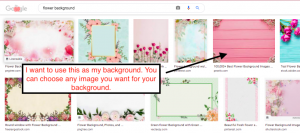
- search the internet for the background image you want
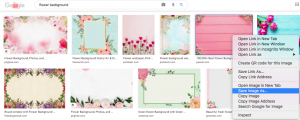
- right click on the image you want
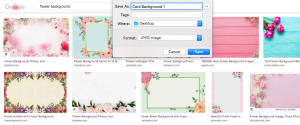
- rename the file to “Card Background 1” and click save
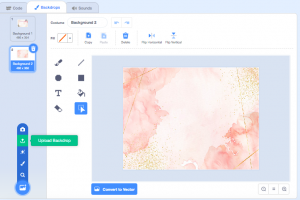
- go to your Scratch page, go to backgrounds, and click “upload backdrop”
- search for the file “Card Background”
- click on the file of the background you’re looking for
- do steps 1-6 one more time so you have in total two new, different backgrounds
- if you are using a different type of computer, some steps may look differently but the steps are still the same
- ask your parents for help if you need help
- email us at gamas@ayclogic.com or allison.682.lee@gmail.com if you need help
- search the internet for the background image you want
- if you want, you can change what the sprites Me 1 and Me 2 say to create a more personal, meaningful message for your mother