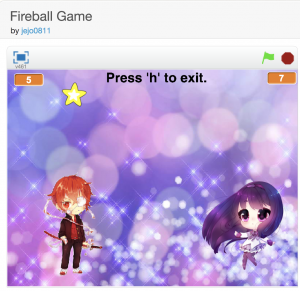
Click here for the game, This scratch game can only be opened in Desktop, not in mobile devices.
https://scratch.mit.edu/projects/240119251/
If you want to learn to create games like above please reserve your first FREE class by clicking here.

Click here for the game, This scratch game can only be opened in Desktop, not in mobile devices.
https://scratch.mit.edu/projects/240119251/
If you want to learn to create games like above please reserve your first FREE class by clicking here.
Open below link using Desktop Browser. Below link will not work in Mobile.
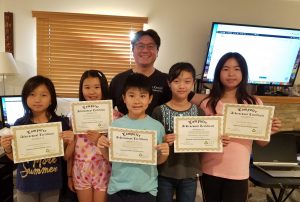
Congratulation for completing Coding in Scratch Level 2.
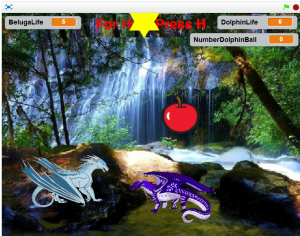
Open below link in Desktop Browser. Below game will not work in Mobile.
https://scratch.mit.edu/projects/177337653

Congratulation Ryan for creating this game.
Checkout this new game that my student created
Open below link in Desktop Browser. Below game will not work in Mobile. https://scratch.mit.edu/projects/235793179/#fullscreen
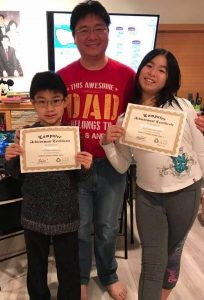
AYC Logic is proud to help a local church in Azusa, CA (www.gii-usa.org/lax) to teach their kids how to do coding during summer for 2 months. Congrats for your good work kids.


Congratulation for completing Scratch Coding Level 1
I recently created this Mother’s Day electronic Greeting Card. Please check it out.
https://scratch.mit.edu/projects/222595235/#fullscreen

Hi there, I recently created this simple game Trex vs Alien Flying Saucer. My kid loves it. Check it out: https://scratch.mit.edu/projects/228388969/#fullscreen

Congratulation for completing Scratch Level 1.

Congratulation for graduating Scratch Level 1.
One of my student made this car racing game.
After weeks of coding, finally, I am able to complete this Zelda – Link vs Goku game. Please check it out and leave me comment if you like it thank you.
Checkout new game Fireball fight at AYC Academy Scratch Studio
To see code please go my project page below
I created AYC Logic Academy Scratch Studio. Please check it out.
Today we are going to learn how to create Minion Birthday Animation program using Scratch
To see the code please look at https://scratch.mit.edu/projects/173093850/
Today we are going to learn how to create Monkey Art Animation program using Scratch
To see the code please look at my scratch project page below